Blog

HELP ME, MY WEBSITE IS BROKEN: What to Do When Your WordPress Website Suddenly Breaks

2026-01-28T00:20:15+00:00January 28th, 2026|Categories: Blog|

When a WordPress website breaks without warning, panic is usually the first reaction. Pages go blank, errors appear, plugins stop working, or the site becomes completely inaccessible. Many site owners make things worse by randomly deactivating plugins, restoring bad backups, or applying updates blindly—causing deeper damage. A broken WordPress site is rarely “just one problem.” It’s [...]
Offensive Security Lessons Every WordPress Owner Should Know

2025-12-26T15:40:52+00:00December 26th, 2025|Categories: Blog|

The most secure WordPress sites aren’t protected by luck—they’re protected by strategy. With 18 years of experience as a WordPress security expert, I’ve learned that offensive security principles are the key to preventing hacks before they happen. Understanding reconnaissance, enumeration, and privilege escalation helps you eliminate the exact paths attackers rely on. The biggest mistakes? Assuming [...]

❌ The Most Common WordPress Mistake That Leads to Breaches (And How to Fix It)

2025-11-24T15:52:36+00:00November 24th, 2025|Categories: Blog|

Everyone talks about malware—but almost nobody talks about the real reason WordPress sites get compromised: misunderstanding how attackers think. With 18 years of experience as a WordPress security expert, I’ve observed that most breaches come from predictable weak points: default admin usernames, insecure plugins from unverified authors, shared hosting with no isolation, and lack of monitoring. [...]

❌ The Hidden Dangers in WordPress Security Nobody Talks About

2025-11-19T15:28:23+00:00November 19th, 2025|Categories: Blog|

Most WordPress sites don’t get hacked because of “advanced cyberattacks”… they get hacked because of simple mistakes that owners don’t even know they’re making. With 18 years of experience as a WordPress security expert, I’ve seen the same vulnerabilities appear again and again: outdated plugins, weak authentication practices, misconfigured hosting environments, and a false sense of [...]

💪 Security Essentials When Integrating Microsoft 365 into WordPress

2025-11-13T16:43:03+00:00November 13th, 2025|Categories: Blog|

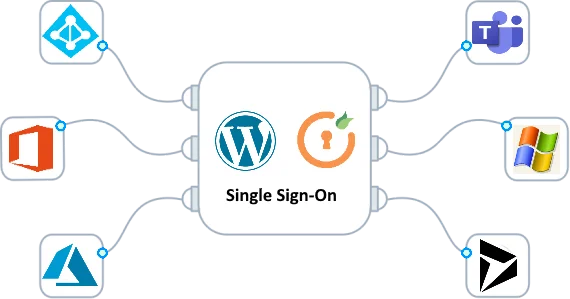
Security should be the first priority when connecting Microsoft 365 to WordPress. By enabling Azure Active Directory Single Sign-On (SSO), you add an enterprise-level authentication layer that eliminates weak passwords and reduces phishing risks. Multi-Factor Authentication (MFA) further strengthens your site’s defense against unauthorized access. Beyond login protection, Microsoft 365 provides advanced threat analytics and compliance [...]

How Microsoft 365 Improves Collaboration in WordPress Teams

2025-11-10T17:01:04+00:00November 10th, 2025|Categories: Blog|

How Microsoft 365 Improves Collaboration in WordPress Teams Integrating Microsoft 365 with WordPress transforms scattered content workflows into a unified digital workspace. With tools like Teams, OneDrive, and SharePoint, WordPress contributors can co-create posts, exchange feedback, and manage assets in real time. Instead of sending files by email, they collaborate inside a secure, cloud-based system connected [...]

🚫 Learn 5 Things You Should Never Do with Microsoft 365 + WordPress

2025-11-03T16:57:23+00:00November 3rd, 2025|Categories: Blog|

🚫 Learn 5 Things You Should Never Do with Microsoft 365 + WordPress One of the worst mistakes when implementing Microsoft 365 in WordPress is skipping security altogether. Some businesses connect Microsoft 365 without enabling encryption, multifactor authentication, or proper access controls. This exposes your site and business data to unnecessary risks. Another wrong move is [...]

😘 How to Correctly Implement Microsoft 365 in WordPress

2025-09-30T13:49:32+00:00September 30th, 2025|Categories: Blog|

Step-by-Step Guide to Implementing Microsoft 365 in WordPress. The key to successful Microsoft 365 integration in WordPress lies in proper planning. Start by defining what you want to achieve—whether it’s single sign-on, document collaboration, or email synchronization. Once goals are clear, select reputable plugins or APIs that securely connect Microsoft 365 services with WordPress. Next, configure [...]

😘 What to Avoid When Integrating Microsoft 365 with WordPress

2025-09-16T16:54:59+00:00September 18th, 2025|Categories: Blog|

Help! My Website Was Hacked – What To Do First. Discovering your website has been hacked is a nightmare. You might find defaced pages, get blacklisted by Google, or see a sudden drop in traffic. First, don’t panic—panic leads to rash decisions. Start by taking your website offline or putting it in maintenance mode to prevent further damage and data theft. Next, identify the nature of the hack. Is it a malware injection, defacement, phishing page, or a redirect to another site? Tools like Google Search Console or external scanners can help. But unless you're highly technical, this is where many people feel overwhelmed. That’s why expert intervention is crucial.

🤔 Top Benefits of Microsoft 365 for WordPress Websites

2025-09-16T16:52:23+00:00September 16th, 2025|Categories: Blog|

Help! My Website Was Hacked – What To Do First. Discovering your website has been hacked is a nightmare. You might find defaced pages, get blacklisted by Google, or see a sudden drop in traffic. First, don’t panic—panic leads to rash decisions. Start by taking your website offline or putting it in maintenance mode to prevent further damage and data theft. Next, identify the nature of the hack. Is it a malware injection, defacement, phishing page, or a redirect to another site? Tools like Google Search Console or external scanners can help. But unless you're highly technical, this is where many people feel overwhelmed. That’s why expert intervention is crucial.

Go to Top